You publish a new service page, fix a price on an old one, or take down a promo that ended last month. Then you wait. Search engines only notice when their crawler comes back around, and for a small business site that can take days or weeks.
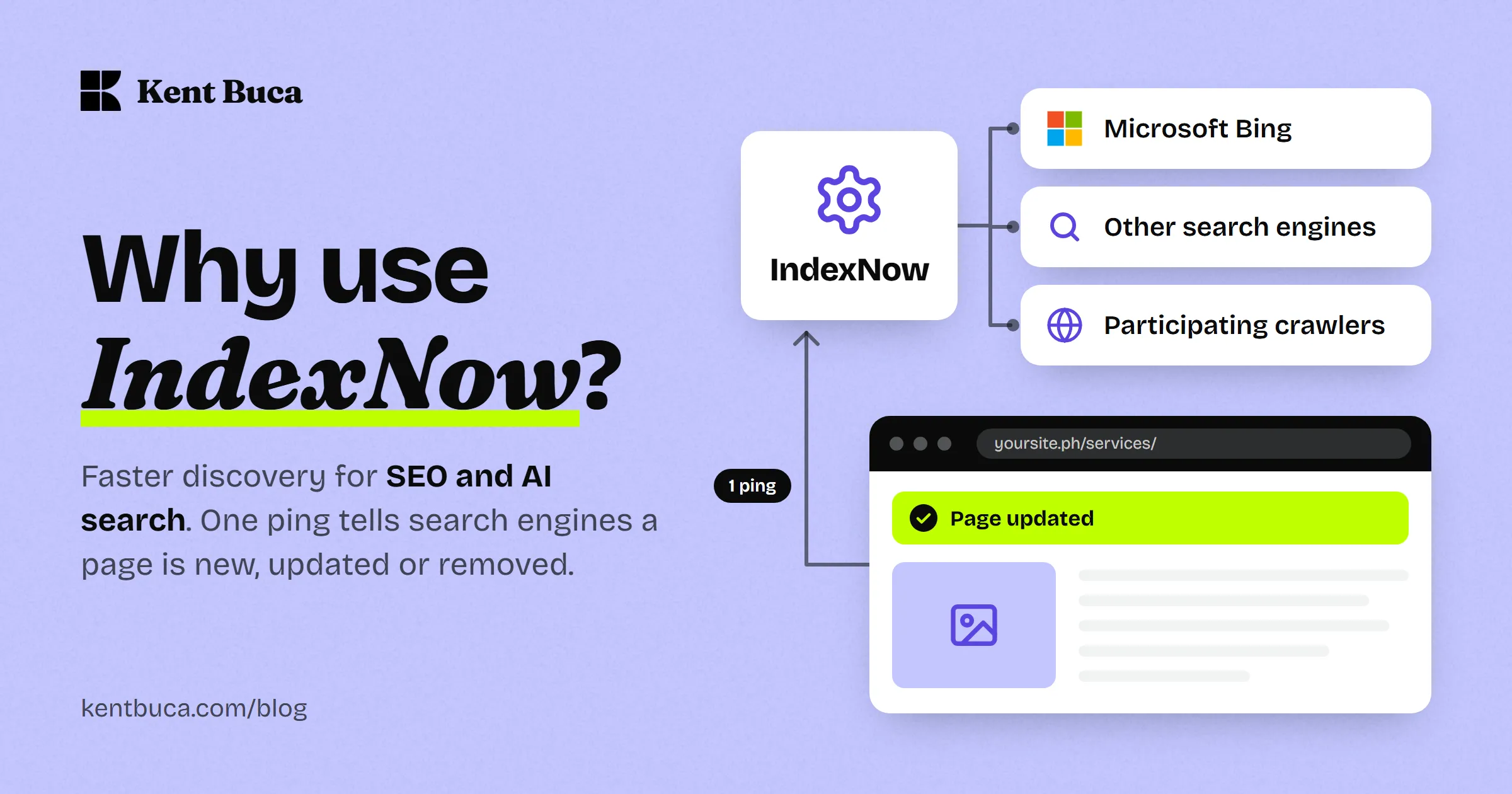
So why use IndexNow? Because it skips the wait, for both SEO and AI search. It’s a free, open protocol that lets your site send search engines a short message: “this URL changed, come and look.”
How IndexNow works
When a page on your site is added, updated or deleted, your site sends that URL to an IndexNow endpoint. The search engine then knows the page is worth crawling again, instead of finding out on its own schedule.
Two details make it more useful than it sounds:
- One ping reaches every participant. Search engines that support IndexNow share submitted URLs with each other. Notify one, and the others get the message too.
- It covers deletions. Telling search engines a page is gone keeps old, dead pages from lingering in results.
To prove the URLs really come from you, you host a small key file on your site. More on that below.
Which search engines use it
Microsoft Bing, Yandex, Naver, Seznam.cz and Yep all support IndexNow, along with a few other services. The full, current list is on indexnow.org.
Google does not. Submitting a URL through IndexNow does nothing for Google Search. For Google, the tools are still the same: an up-to-date XML sitemap, clear internal links, and Google Search Console. IndexNow sits on top of those. It doesn’t replace any of them.
Why use IndexNow if most searches are on Google?
Google gets most of the searches here, so it’s fair to ask why Bing matters at all. Two reasons.
Bing feeds AI answers. Microsoft Copilot builds its answers on Bing’s index. Getting your changes into Bing quickly means a new service, a new branch or a corrected phone number can reach those answers sooner. If you’re working on getting recommended by AI search, this is one of the easiest pieces to put in place.
Changes that matter, seen sooner. New pages, updated prices and hours, removed products, and pages that moved during a redesign all benefit from being picked up quickly rather than whenever the crawler gets around to it.
It costs nothing, and once it’s automated you never have to think about it again.
What IndexNow can’t do
It’s worth being clear, because IndexNow is often oversold.
- It’s a notification, not a guarantee. The search engine still decides whether to crawl the page, whether to index it, and where it ranks.
- It won’t fix a weak page. If a page has thin content, a poor title or no clear topic, getting it crawled faster just gets it judged faster. On-page SEO still does the heavy lifting.
- It doesn’t submit anything to ChatGPT or Gemini. AI tools run their own crawlers with their own rules. Make sure your robots.txt and hosting don’t block them.
How to set it up
On WordPress or a hosted platform
Many platforms and CDNs support IndexNow already. On WordPress, plugins such as Rank Math or Microsoft’s own IndexNow plugin handle the key file and submissions for you. Cloudflare can do it at the CDN level. Check your platform’s settings before building anything.
On a custom-built site
On a site built in Astro or another framework, setup takes three steps.
1. Create a key. It’s a string of 8 to 128 characters, using letters, numbers and dashes. A long random string is best.
2. Host the key file. Save a plain UTF-8 text file named after the key, containing only the key, at the root of your site. If your key is a1b2c3d4e5f6, the file lives at https://yoursite.ph/a1b2c3d4e5f6.txt. Search engines read this file to confirm the site is yours.
3. Send the changed URLs. For a single page, a simple request is enough:
https://api.indexnow.org/indexnow?url=https://yoursite.ph/services/&key=a1b2c3d4e5f6For several pages at once, send a POST request with a JSON body, up to 10,000 URLs per request:
{
  "host": "yoursite.ph",
  "key": "a1b2c3d4e5f6",
  "urlList": [
    "https://yoursite.ph/services/",
    "https://yoursite.ph/blog/new-post/"
  ]
}
The best setup runs this automatically after every deploy, sending only the pages that changed.
Reading the response
| Code | What it means |
|---|---|
| 200 | Received. It does not mean the page is indexed. |
| 202 | Received, and the key is still being checked. |
| 400 | The request is malformed. |
| 403 | The key file is missing or doesn’t match the key. |
| 422 | A URL doesn’t belong to your site, or the key is invalid. |
| 429 | Too many requests. Slow down. |
Rules to follow
- Only submit URLs that changed. Re-sending the same unchanged pages over and over can get your submissions ignored.
- Submit canonical URLs. Send the version of each URL you want indexed, with the right trailing slash and no tracking parameters.
- Stay on your own domain. Every URL must belong to the site that hosts the key file.
- Deleted pages need the right status. A removed page should return a 404 or 410. A moved page should 301-redirect to its replacement. IndexNow tells search engines to look, and the status code tells them what they’ll find.
- Keep your sitemap. Search engines still rely on it, and Google relies on it entirely.
- Check Bing Webmaster Tools. It shows the URLs you’ve submitted and flags problems with your key.
The short version
IndexNow is a small piece of technical SEO that pays off quietly. Set it up once, automate it, and every change you make reaches Bing, Copilot and the other participating engines within minutes instead of weeks.
Not sure whether your site sends these signals, or whether search engines can crawl it properly in the first place? An SEO audit covers it. Book a free call and I’ll take a look.